01
A professional presence.
Your conference’s name, icon, logos, and colours in a dedicated app, with its own listing in the App Stores.
 Request an app
 Conference apps for academic events
A branded conference app for iOS and Android, connected to the programme you already manage in Indico.
Already with Orgalution? Your existing Indico event is enough to get started. See how it works
01 / The conference app
Give your academic conference its own app, and give participants a convenient guide to the research, the programme, and the venue.
Your conference’s name, icon, logos, and colours in a dedicated app, with its own listing in the App Stores.
Participants carry the programme, research, and venue information with them on their phone or tablet.
Saved schedules and an “up next” view help attendees choose their sessions and find the next one.
Publish conference updates and notifications for participants, including room changes and event announcements.
02 / The attendee experience
Real screens from the One Health Symposium app. Select a feature to see how participants use it.
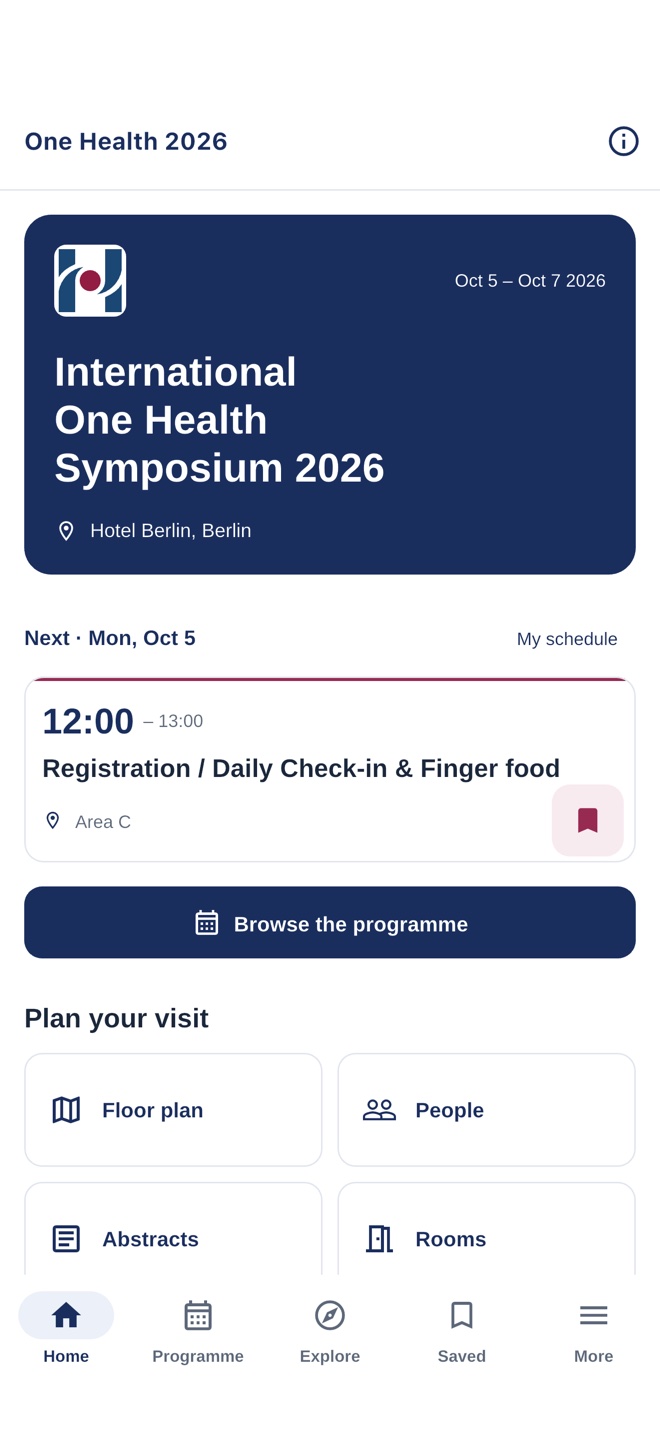
The home screen brings current and upcoming programme items into view. Attendees can check where to go next between sessions.
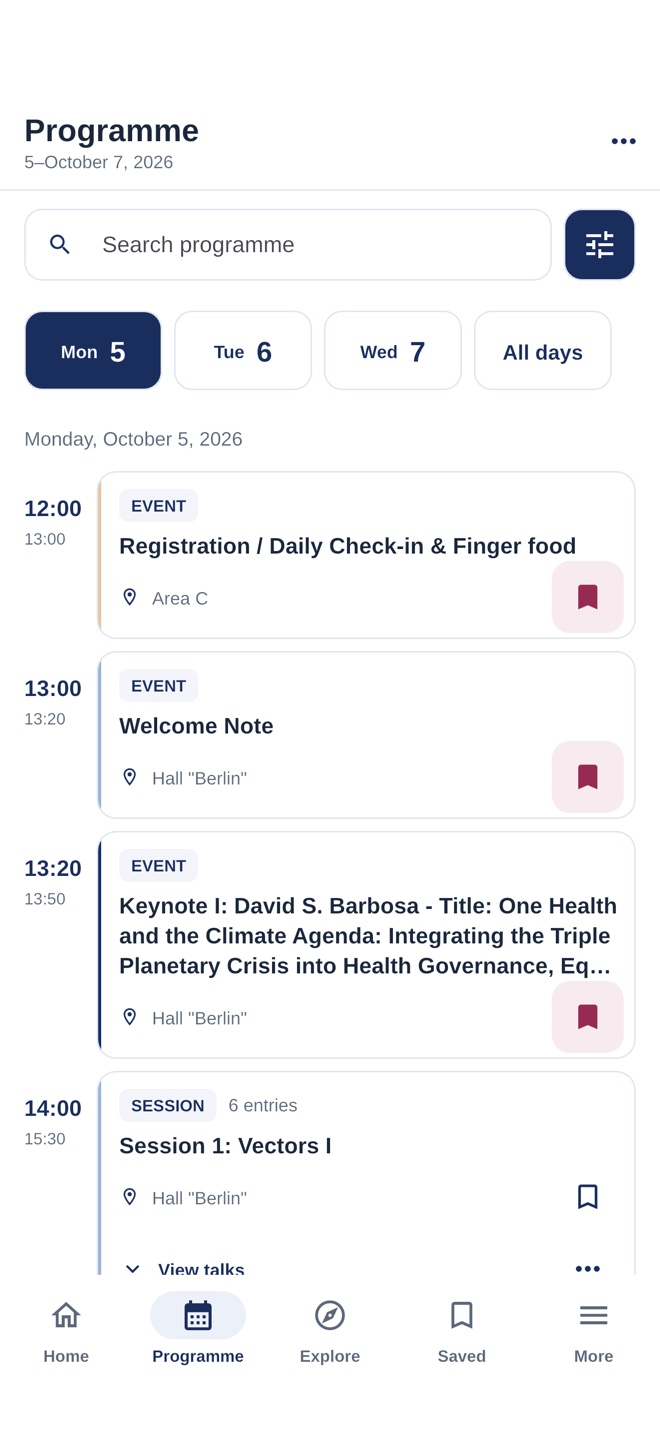
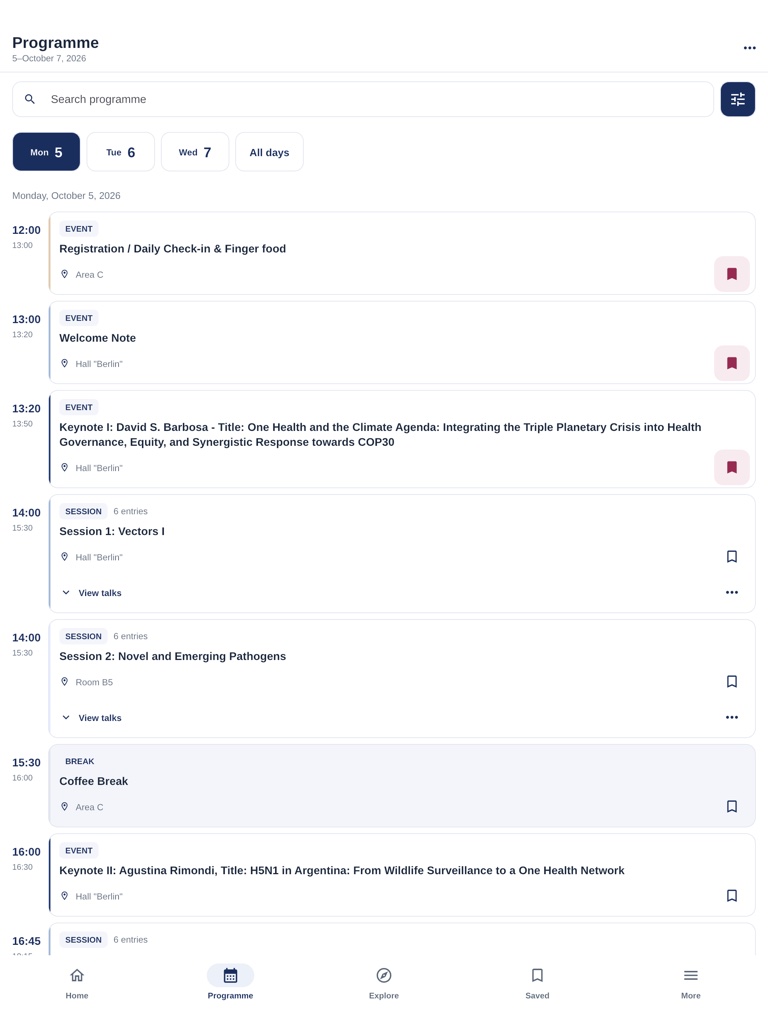
Browse the conference by day, search the programme, and open individual sessions and talks. Times and rooms stay close to each item.
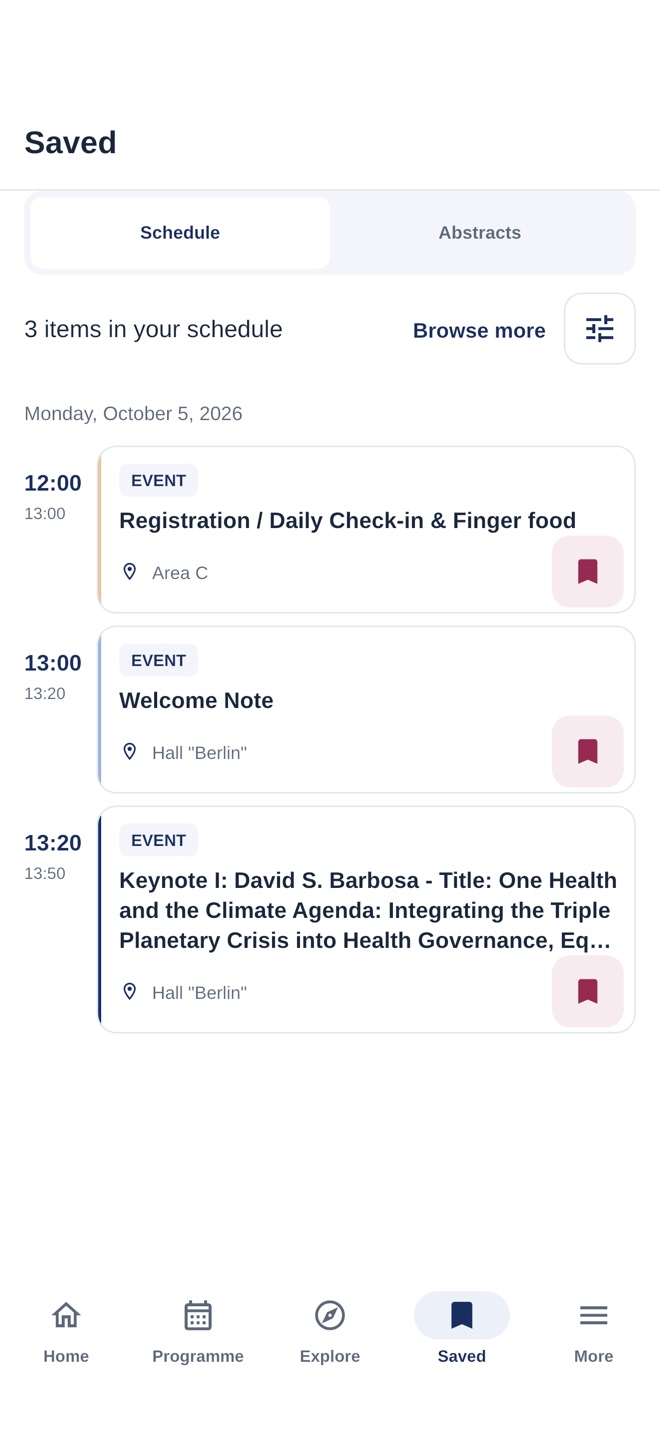
Attendees bookmark the sessions and individual talks they want to attend. Their personal schedule keeps those choices together across the conference.
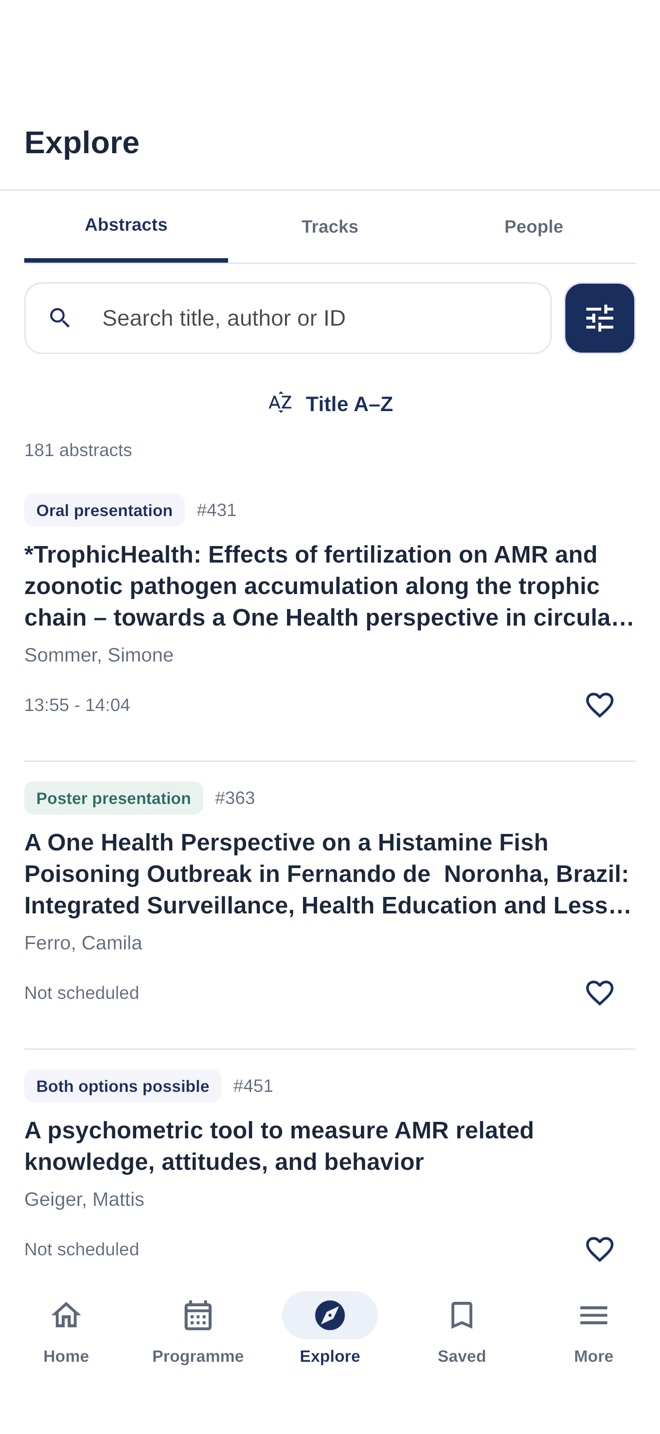
Give participants a searchable collection of talks, posters, and abstracts, connected to the people and sessions in the programme.
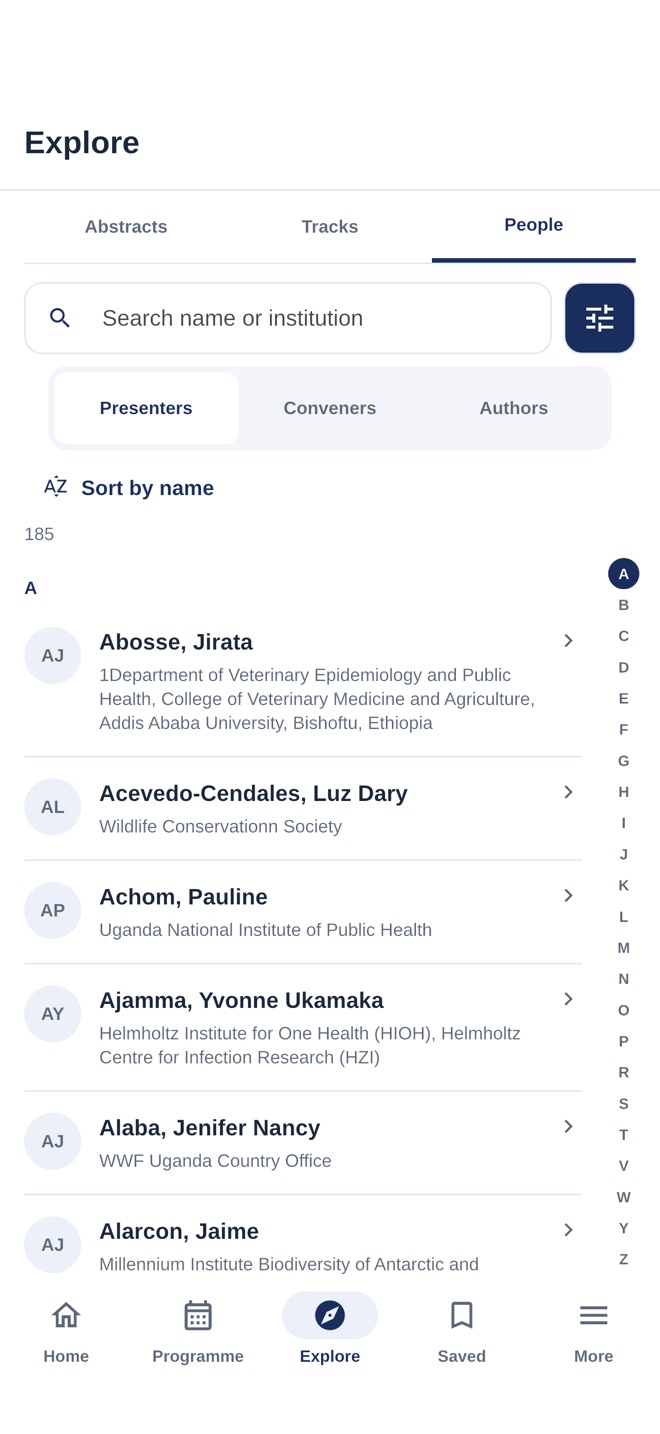
A directory of presenters, conveners, and authors helps participants find a name, an institution, or the contributions they are looking for.
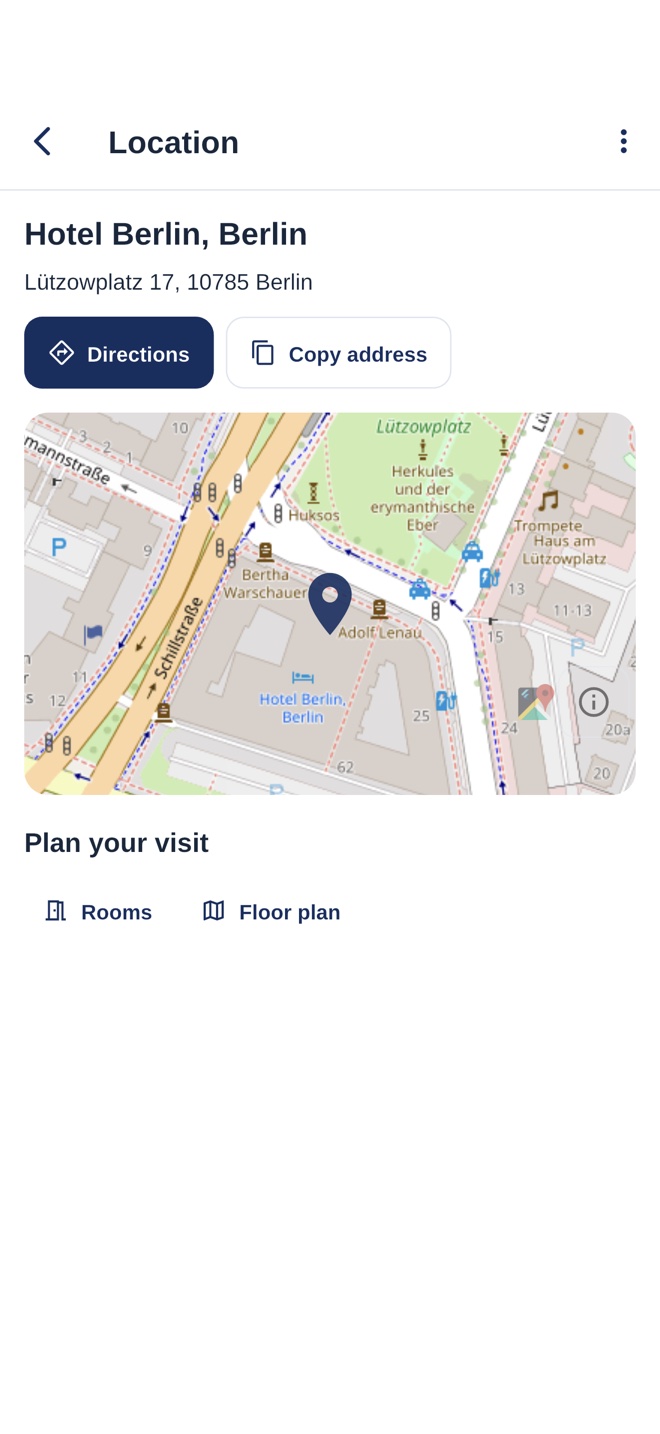
Maps, directions, room information, and floor plans help visitors navigate an unfamiliar venue and find their next session.
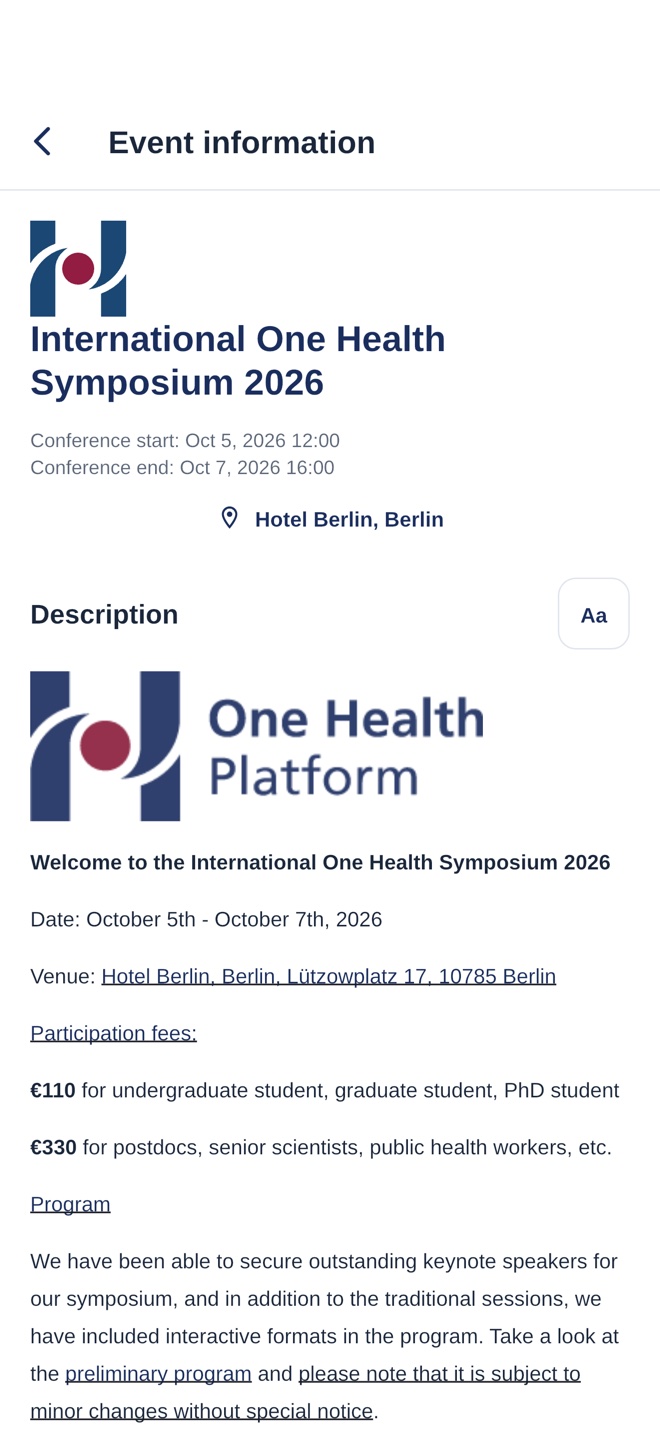
Keep practical details, organiser contacts, and custom information pages available alongside the programme. Edit the content through your event backend.
Share announcements with conference participants through the app, including practical changes during the event.
Programme and abstract content remains available after it has loaded. Updates and maps need an internet connection.
Participants can switch the interface language. Conference content stays in the language you provide.
Include event documents, external resources, and custom pages. Choose the modules your conference needs.
Phones / Tablets / Compatible laptops
Participants download your app through the App Store or Google Play. Phone and tablet layouts make it convenient to check a session on the move or browse the programme on a larger screen.
Compatible Mac laptops can run the iPad app through the App Store. See the device requirements
03 / Setup & pricing
For existing Orgalution customers, adding an app starts with the Indico event you already use. Your existing data supplies the programme and content.
Programme / Abstracts / People / Venues
Your name / Your branding / Your content
Already a customer? Tell your usual Orgalution contact you would like an app for your conference.
The programme, abstracts, people, and venue information come from the Indico event you already maintain.
App configuration and store publishing are handled for you. Share the app links with your participants.
Established software / Automated setup
These apps have been deployed for academic conferences and university events, including repeat deployments for existing Orgalution customers. Reusing the app and automating much of the setup and publishing keeps costs substantially below a comparable app built from scratch.
Ask Orgalution for a quoteConfigured for your conference
04 / Apps in use
Examples from previous deployments for research conferences and university events. Open a store listing to try an app.
International academic conference
Programme, research abstracts, and personal schedules for the International One Health Symposium.
University summer schools
Schedules, updates, and practical information for the University of Würzburg’s STEM summer schools.
Practical questions
For existing Orgalution customers, the event data already in your Indico backend is enough to get started. The app uses that programme and content. Your event’s existing identity can be used for the branding; additional design choices and requirements can be discussed with Orgalution.
Indico remains the place where you manage the event. The app adds an attendee’s personal schedule and an “up next” view in a dedicated, branded app, alongside research abstracts, venue information, and conference announcements. Participants can download it from the App Stores and keep their conference guide at hand.
Yes. Keep managing your programme, abstracts, speakers, and event information in your existing backend. The app retrieves the published content and updates; participants need an internet connection to load changes.
The apps use an established product and a largely automated setup and publishing process. That keeps costs substantially below commissioning a comparable app from scratch. Orgalution can provide a quote for your conference and any additional features.
The app is available for iOS and Android through the App Store and Google Play, with layouts for phones and tablets. Compatible Mac laptops can run the iPad app through the App Store. Exact device requirements are listed in each app’s store listing.
Yes. Your app can use your conference’s name, logos, colours, and selected modules. You can edit the event content yourself. More complex features can be developed on request; discuss them with Orgalution when planning your app.
Your next academic conference
Talk to Orgalution about adding an app to your event, including branding, features, and pricing.
Ask your usual Orgalution contact. The event data already in your Indico backend is enough to get started.